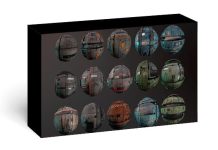
The VDM brush (Vector Displacement Map Brush) is an advanced brush type primarily used in 3D sculpting software such as ZBrush or Blender.
Unlike conventional Alpha brushes (which can only be moved up or down the surface in a vertical direction), the VDM brush allows you to create complex 3D shapes, including undercuts or overlapping folds, with just one brush stroke.
Why is the VDM Brush special?
- To better understand, we can compare it to the old format:
- Standard Alpha (Grayscale): Uses a black and white elevation map. It can only push the object along the Z-axis (up or down). You can’t create a complete ear or nose with a hole underneath with just a black and white Alpha.
- VDM Brush (RGB): Uses vector data (based on the Red, Green, Blue color channels) to determine the direction of distortion in 3D space (X,Y,Z). This allows the brush to “bend” the surface to create details such as:
- Human ears, noses, lips.
- Monster horns with complex curves.
- Open wounds with depth and overlapping skin layers.
Benefits of Using VDM Brushes
- Huge time savings: Instead of manually sculpting complex parts like ears or dragon scales, you simply select the corresponding VDM brush and “draw” them onto the surface.
- Preserves the mesh (Topology): It intelligently distorts the existing mesh to create new shapes without complex cutting and splicing operations.
- Diverse library: Many VDM brush sets are currently available for sale or shared for free on ArtStation or Gumroad for character and creature design.
Vdm Brush Collection Free Download
Zbrush + Blender – 40 Sea Creatures Brushes
Zbrush + Blender – 30 Cut And Scars Brushes
Zbrush + Blender – 45 Cthulhu Creature Brushes
Zbrush + Blender – 40 Alien Brushes
Zbrush + Blender – 40 Horror VDM Brush
Zbrush + Blender – 40 Mutant VDM Brushes
Zbrush + Blender – 40 Scales and Skins Brushes
Zbrush + Blender – 40 Dragon and Reptiles Skins Brushes
Zbrush + Blender – 40 Zombie Brushes
Zbrush + Blender – 40 Sea Creatures Brushes
Zbrush + Blender – 40 Sea Creatures Brushes