Table of Contents
Brushes Leather & Fabric Compression Folds
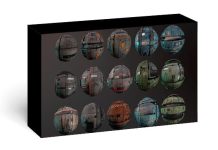
This vol is a collection of optimized wrinkles that you can use to easily create realistic and even fantasy wrinkles on your models such as fabric, clothing, leather, etc. Just click and drag
All kinds of wrinkles on all kinds of fabrics such as: cotton, denim, knitted, leather, nylon, polyester, silk, trim, wool are included in this vol to make modeling clothes and fabrics in Blender easy and enjoyable for you.
VDM Brush files are produced in a light and suitable size, although the alphas are available separately and with 4K (4096*4096) quality. All necessary instructions for using brushes are mentioned in the tutorial video.
- 10 VDM Brush Sets for ZBrush
- 4 Different Compression Patterns Each
- 40 Unique Brushes
- PSD ( Alpha) 4K
- 50 VDM Brushes for Blender
- 50 VDM Blender (Single )
- 50 Alpha (4k Resolution )
- Video Tutorial ( How to Use in Blender )
- EXR (for single VDM Blender )
- PNG AND PSD (Alpha)
- TIF (Alpha)
- BLEND, PSD, TIF (alpha), EXR, JPG, PDF ( Catalog), Mp4 (Video Tutorial )
Designed for detailing cylindrical cloth shapes like sleeves & pant legs.
Use a high brush intensity for large folds that affect the silhouette.
Use a low brush intensity to create the appearance of memory wrinkles.
Utilize with ZBrush’s Morph and Smooth tools to create awesome cloth effects!
System requirements
- Operating System: Windows 10/8/7/11
- Free Hard Disk Space: 1 GB free HDD
- Installed Memory: 2 GB of minimum RAM
- Processor: Intel Core 2 Duo or higher
- Requires ZBrush 2018 or Later
Brushes Leather & Fabric Compression Folds Free Download
50 VDM Brushes Cloth Leather & Fabric Brushes
40 Brushes Leather & Fabric Compression Folds
How to install
- Turn off anti-virus software (Note also turn off Windows Defender)
- Extract the downloaded software
- How to make brushes appear in Lightbox:
- Navigate to ZBrush Program Directory
- Usually (C:\Program Files\Pixologic ZBrush 20XX\Zbrushes)
- Create a new folder named “CP FoldsV2”
- Copy downloaded brushes into “CP FoldsV2” Folder
- Now you can access brushes thought Lightbox>Brushes>CP FoldsV2