Table of Contents
X-force 2022
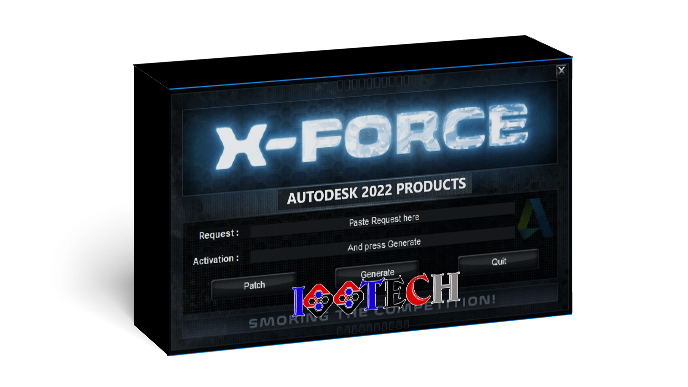
X-Force 2022 is the unlocking software for Autodesk products of version 2022 and its usage is more complex than the older versions.
Autodesk 2022 suite further improves project delivery by connecting Autodesk Documentation with tools in the Architecture, Engineering & Construction Collection. Reduce manual efforts and automate review of drawings, models and documents before publishing and sharing. Integration with Autodesk tools like AutoCAD and Revit helps streamline workflow and reduce duplication. Open, save, move, rename and delete files directly from your desktop using the On-Screen Connector. Easily create and share transfer data with project teams and follow-up with the entire test process.
Synthesis of Autodesk 2022 software
Here is a complete list of Product Keys for all Autodesk 2022 products. Press Ctrl + F to find your product.
Some software will have a Repack installed and used, but there are software that will have to use X-Force 2022 to Crack will be a little more complicated, you can see the instructions below. This post will be continually updated and edited, please follow IGG Tech.
| Product Name | Product Key |
| 3ds Max 2022 | 128P1 |
| 3ds Max with Softimage | 978P1 |
| Advance Steel 2022 | 959P1 |
| Alias AutoStudio 2022 | 966P1 |
| Alias Concept 2022 | A63P1 |
| Alias Surface 2022 | 736P1 |
| Arnold 2022 | C0PP1 |
| AutoCAD 2022 | 001P1 |
| AutoCAD LT 2022 | 057P1 |
| AutoCAD Map 3D 2022 | 129P1 |
| AutoCAD Mechanical 2022 | 206P1 |
| AutoCAD Electrical 2022 | 225P1 |
| AutoCAD Architecture 2022 | 185P1 |
| AutoCAD MEP 3D 2022 | 235P1 |
| AutoCAD Plant 3D 2022 | 426P1 |
| AutoCAD for Mac | 827O1 |
| AutoCAD Raster Design 2022 | 340O1 |
| AutoCAD Revit LT Suite 2022 | 834O1 |
| CAMplete TruePath | C4PO1 |
| CAMplete TurnMill | C4RO1 |
| CFD 2022– Ultimate | 811O1 |
| Civil 3D 2022 | 237O1 |
| Fabrication CADmep 2022 | 839O1 |
| Fabrication CAMduct 2022 | 842O1 |
| Fabrication ESTmep 2022 | 841O1 |
| FeatureCAM 2024 – Premium | A9FO1 |
| FeatureCAM 2024 – Standard | A9GO1 |
| FeatureCAM 2024 – Ultimate | A9EO1 |
| Flame | C0TO1 |
| Flame – Education | C14N1 |
| Flame – transition | C5LO1 |
| Flame Assist | C0VO1 |
| Flame Premium | C0XO1 |
| Flare | C0WO1 |
| Fusion 360 with Netfabb Standard | A95O1 |
| InfoDrainage – Standard | C67O1 |
| InfoDrainage – Ultimate | C68O1 |
| InfoWater Pro | C69O1 |
| InfoWorks ICM – Standard | C6AO1 |
| InfoWorks ICM – Ultimate | C6BO1 |
| InfoWorks WS Pro | C6CO1 |
| InfraWorks 2022 | 927O1 |
| Inventor Engineer-to-Order Series | 805O1 |
| Inventor Engineer-to-Order Series Distribution Fee | 636O1 |
| Inventor Engineer-to-Order Server | 752O1 |
| Inventor ETO – Developer | A66O1 |
| Inventor ETO – Distribution | 996O1 |
| Inventor Nastran 2022 | 987O1 |
| Inventor OEM | 798O1 |
| Inventor Professional 2022 | 797O1 |
| Autodesk FormIt Pro 2022 | C0UO1 |
| Lustre – transition | C5MO1 |
| Maya 2022 | 657O1 |
| Autodesk InventorCAM Ultimate 2022 | 977O1 |
| MotionBuilder 2022 | 727O1 |
| Mudbox 2022 | 498O1 |
| Navisworks Manage 2022 | 507O1 |
| Navisworks Simulate 2022 | 506O1 |
| Autodesk HSMWorks Ultimate 2022 | C02O1 |
| Autodesk Factory Design Utilities 2022 | 925O1 |
| PowerInspect 2022– Premium | A9JO1 |
| PowerInspect 2022– Standard | A9KO1 |
| PowerInspect 2022 – Ultimate | A9HO1 |
| PowerMill 2022– Premium | A9AO1 |
| PowerMill 2022– Standard | A9QO1 |
| PowerMill 2022– Ultimate | A9PO1 |
| PowerShape 2022– Premium | A9MO1 |
| PowerShape 2022– Standard | A9NO1 |
| PowerShape 2022– Ultimate | A9LN1 |
| ReCap Pro 2022 | 919O1 |
| Revit 2022 | 829O1 |
| Revit LT 2022 | 828O1 |
| Robot Structural Analysis Professional 2022 | 547O1 |
| Structural Bridge Design 2022 | 954O1 |
| Autodesk Vault Pro Client 2022 | 555O1 |
| Vault Professional 2022 | 569O1 |
| Vault Workgroup 2022 | 559O1 |
| Vehicle Tracking 2022 | 955O1 |
| VRED 2022 Core | 887O1 |
| VRED 2022 Design | 885O1 |
| VRED 2022 Presenter | 888O1 |
| VRED 2022 Professional | 886O1 |
| Autodesk DWG TrueView 2022 | 890O1 |
X-force 2022 Free Download
x-force 2022 v8
Autodesk Collection
How to use X-force 2022
Method 1 Automatic
- Turn off anti-virus software (Note also turn off Windows Defender)
- Unzip the downloaded software
- Run Setup to install the software
- Run Autodesk License Patcher Ultimate.exe with Run As Administrator
- Open the installed software, select “Use a network license“
- Select “Single license server” > enter 127.0.0.1 or localhost
- Run the file Bloatware.bat and Internet Connection.bat
- The Internet Connection script will allow you to block or unblock internet connections in and out of autodesk products using windows firewall.
- Bloatware script will clean up genuine service and counter service.
- Go to the software and use it
Method 2 Manually
- Turn off anti-virus software (Note also turn off Windows Defender)
- Extract the downloaded file
- Run the Setup file to install software – Do Not Start it yet
- Install Autodesk network license manager (nlm11.18.0.0)
- Copy the adskflex.exe file to the path “C:\Autodesk\Network License Manager”
- Stop Autodesk Desktop Licensing Service (using services.msc)
- Copy “AdskLicensingService.exe” to the path C:\Program Files (x86)\Common Files\Autodesk Shared\AdskLicensing\11.0.0.4854\AdskLicensingService\
- Copy the file “AdskLicensingAgent.exe” and “adlmint.dll” to the path C:\Program Files (x86)\Common Files\Autodesk Shared\AdskLicensing\11.0.0.4854\AdskLicensingAgent\ (iggtech.com)
- Start Autodesk Desktop Licensing Service (using services.msc)
- Config the file “lic.dat” to fix HOSTNAME and MAC according to the software “LMTOOLS Utility> System Settings“
- Copy the file “lic.dat” to “C:\Autodesk\Network License Manager” (iggtech.com)
- Create a license file reading for Autodesk
- Run LMTOOLS Utility (or in the path C:\Autodesk\Network License Manager/lmtools.exe)
- On the tab ‘config services‘
- Add “Autodesk ‘to the service name section
- Select the file C:\Autodesk\Network License Manager\lmgrd.exe
- Select the file C:\Autodesk\Network License Manager\lic.dat
- Debug log is fine as well
- Tick on ‘start server at power up‘ and ‘use services‘
- Click Save
- In Tab ‘service/license file‘
- Select Configuration using Services
- Tick on “LMTOOLS ignores license file …..“
- In Tab ‘start/stop/read‘
- Click Start Server
- Click Rereadlicense File (note that this is to read the License file again, every time more software is updated, the lic.dat file will have more lines and you must update the lic.dat and then click here)
- The lic.dat file will update the full license of the software listed above
- Tab ‘server status‘
- Click ‘perform status enquiry‘
- Check the version that says “adskflex: UP v11.18.0” is ok
- And the numbers like this will be short for license “87561RVT_2022” where RVT is Revit License
- All OK (iggtech.com)
- Open the software and select “Use a network license“
- Select “Single license server“> fill in 127.0.0.1
- Go to the software and use it
- All Autodesk 2022 software do the same, just install it for the first time and install the license in the lic.dat file for the next time.